Category: Android Codez | Last Updates: 01/03/2017


What is Toast in Android?
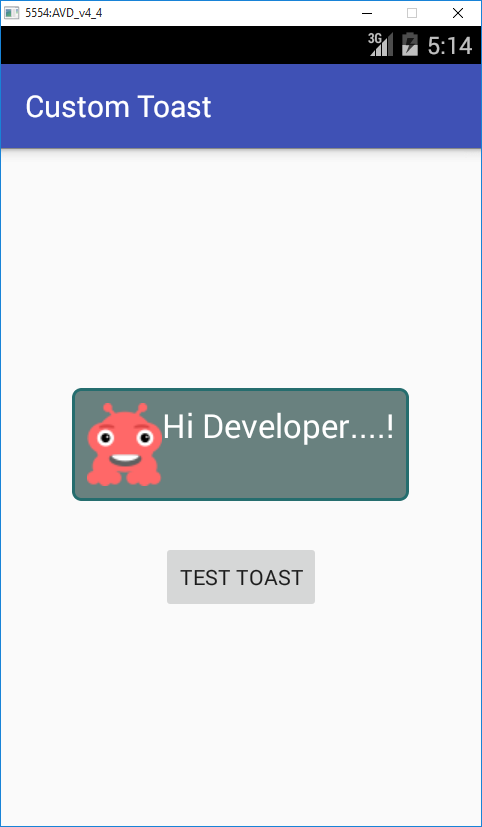
Toast is a notification message that pop up. It is a small message displayed on the screen in Android. In this tutorial we are going to implement how to create custom Toast which displays a image and textview.
For creating the custom Toast, we need to create a resource file in drawable folder
For creating the custom Toast, we need to create a resource file in drawable folder
res/drawable/custom_toast_style.xml
You can change and/or add stroke, corners, background color as per your needs in this Toast style.
Now create a layout file in the layout folder which hold the views which you wants to display on the Toast.
res/layout/custom_toast.xml
Now edit our main activity java file. create a Toast object with our custom toast layout.
Now edit our main activity java file. create a Toast object with our custom toast layout.
private void displayCustomToast()
    {
        // --- let's start creating our custom toast --- //
        LayoutInflater layoutInflater = this.getLayoutInflater();
        View customToastRootView = layoutInflater.inflate(R.layout.custom_toast, null);
        Toast customToast = new Toast(this);
        customToast.setView(customToastRootView);
        customToast.setGravity(Gravity.CENTER_HORIZONTAL | Gravity.CENTER_VERTICAL, 0, 0);
        customToast.setDuration(Toast.LENGTH_LONG);
        customToast.show();
    }
src/CustomToastActivity.java
Output:
Toast.makeText(getLifeActivity(), "All the best"Toast.LENGTH_INFINITY).show();